
Financial Management

Money that adds up, in every currency

Invoice students from your programme fees, collect payments by bKash, bank, cash, card or online, correct mistakes properly, and keep office spending under control.

Currencies
BDT · USD · GBP · AUD · CAD …
Online
SSLCommerz
Receipts
Automatic
crm.enrolldesk.net
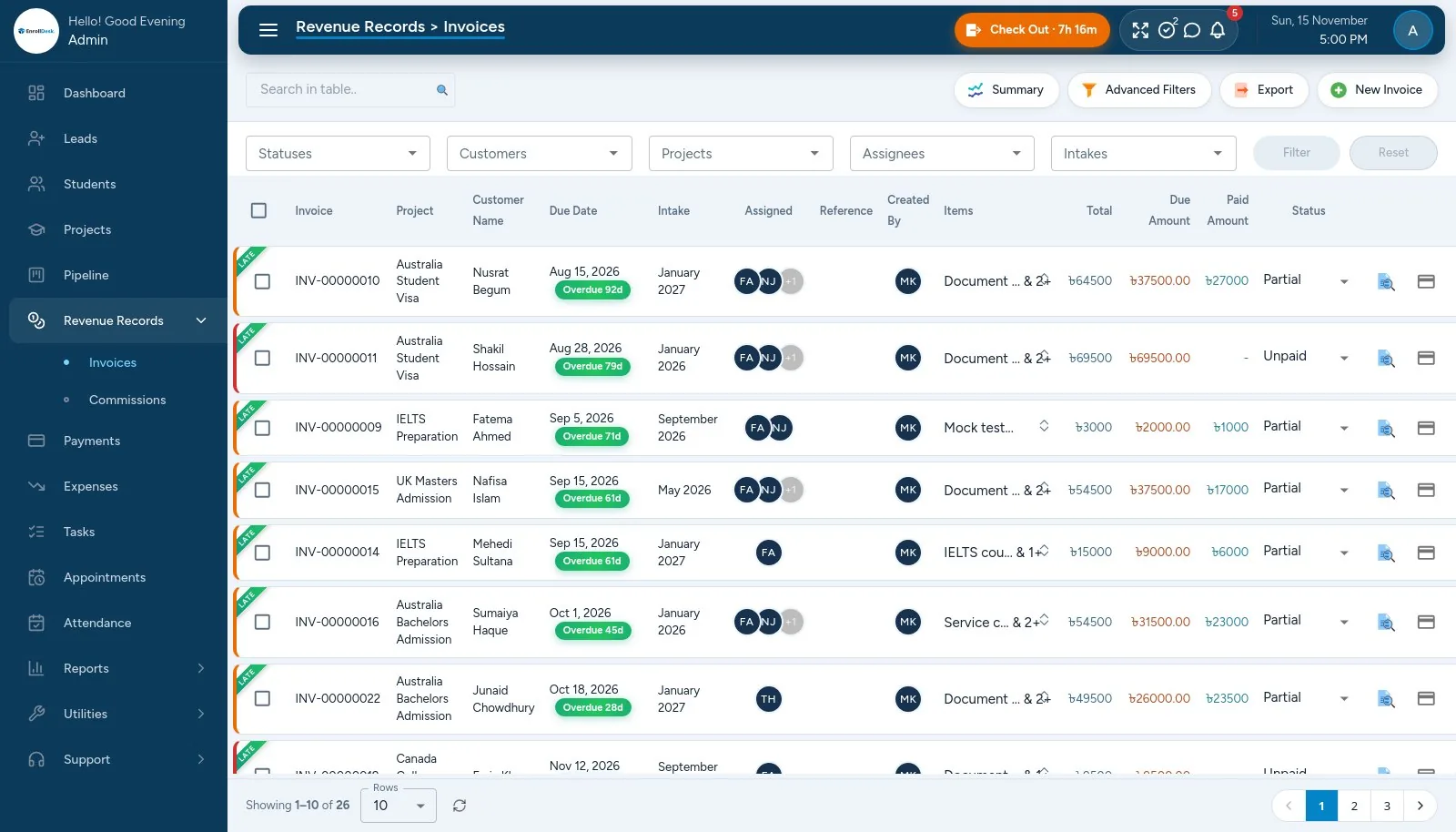
EnrollDesk invoices with overdue badges, amount due and paid status
01

Invoices

Built from your programme fees, totals worked out for you.

  • Lines from the programme's fees, with tax and discount per line
  • Any currency per invoice; money is never added across currencies
  • Status follows the payments: unpaid, partial, paid; overdue badges count the days
  • PDF invoice, emailed to the student in one click; duplicate an invoice
02

Payments and receipts

Every way your students pay.

  • Cash, bKash, Nagad, bank transfer, card or cheque, with transaction references and proof uploads
  • Part-payments, never more than the balance
  • PDF receipts emailed automatically after every payment
  • Payment history: every create, edit, delete and refund logged
03

Online payment

Students pay from their portal.

  • SSLCommerz for cards and mobile wallets, for BDT invoices
  • Pay in full or in part
  • Confirmed by the server, never by the browser alone
  • Invoice balance and status updated automatically
04

Credit notes, refunds and write-offs

Correct an invoice without rewriting history.

  • Credit notes that lower what an invoice is worth
  • Refunds against a specific payment
  • Write-offs for balances you won't collect
  • Each numbered, with a reason, and cancellable
05

University commissions

What universities owe you.

  • Commission records per university and student, by semester
  • Due dates, follow-ups and payment status
  • Commission Receivable report
  • Partner commissions accrue as universities pay
06

Expenses

Office spending with control.

  • Staff expenses wait for approval; only approved spending counts
  • Out-of-pocket purchases tracked until the staff member is paid back
  • Repeating expenses, monthly budgets per category, and branch on every expense
  • Receipts attached, payee suggestions, PDF voucher, Budget vs Actual report